Export Your Digital Persona: A Simple Hack to Make Any AI Know You Instantly
Your context should be as portable as your email address. A simple persona memo makes any AI instantly familiar with you.
How to generate a portable persona memo so any AI—ChatGPT, Claude, Grok, Gemini, or your own agents—can understand your working style from day one.

Export Your Brain: A Simple Way To Make Any AI “Know You” From Day One
Every new AI tool treats you like a stranger.
New chat. New model. New product. Same ritual:
- “I’m a dev, I use React/TS/Tailwind.”
- “Keep it short, show code first.”
- “Don’t give me motivational quotes.”
You’ve already trained one AI on all of this. It knows your stack, your tone, your quirks, your life context.
The question is: how do you steal that “you” and carry it anywhere?
That’s what this article is about: Not “exporting ChatGPT data”, but exporting your persona so any AI, any agent, any system can plug into it.
The Real Problem: Your Context Is Trapped
We’re in a multi-AI world:
- ChatGPT for ideation / debugging
- Claude / Gemini for writing
- Cursor / Copilot / Replit for coding
- Internal bots at work
- Random tools for notes, docs, email, scheduling
Each one gets a tiny slice of you. None of them truly “know you”.
Your preferences, your working style, your constraints, your goals – they’re all split across chats, tabs, and products.
What we actually want:
“My AI context should be as portable as my email address.”
Until the tools natively support that, we hack it: we create a Persona Memo.
The Idea: A Persona Memo You Can Plug Anywhere
Instead of trying to export raw chat history, you ask your main AI:
“Look at everything you know about me. Compress it into a memo + JSON that any other system can use to work with me.”
This does three things:
- Gives you a clean “Operating Manual” of yourself.
- Gives other AIs a high-signal context to start from.
- Works across tools: ChatGPT, Claude, Grok, Gemini, Cursor, internal agents, whatever.
You run one good prompt → get back a human-readable memo + machine-readable persona.
That’s your portable brain.
The Master Prompt (Use This On Whatever Knows You Best)
Take this and paste it into the AI where you’ve spent the most time (ChatGPT, Claude, etc.):
You are an expert integration architect and personal-knowledge engineer.
You have access to:
- our existing conversation history in this workspace, and/or
- any user context I provide in this chat.
Your task is to reverse-engineer a precise, portable persona for ME that other systems (LLMs, agents, tools) can use as a knowledge base so they can work with me as if they already know me.
### What to analyse
From everything you know about me, identify:
- stable traits (how I think, work, decide, learn)
- my technical preferences and tools
- my communication style
- patterns in projects I take on
- recurring likes / dislikes
- constraints (time, energy, money, risk tolerance)
- my current goals and directions
Ignore one-off or trivial details that don’t matter long-term.
### Output format
1) First, write a concise natural-language memo:
Title: "Operating Manual: <my name or handle>"
Sections (use short bullets, not long paragraphs):
- Identity & role
- How I like to work
- How to communicate with me
- Tech & tooling preferences
- Decision-making style
- Current focus / projects
- Hard NOs / anti-preferences
Max 500 words. Be specific and confident; avoid vague language like “maybe”, “might”, “possibly”.
2) Then output a machine-readable persona as VALID JSON only, with this exact structure:
{
"profile": {
"name_or_handle": "",
"summary": "",
"location_region": "",
"roles": []
},
"work_style": {
"planning_style": "",
"speed_vs_perfection": "",
"collaboration_style": "",
"typical_work_patterns": []
},
"communication_style": {
"tone_preference": "",
"detail_level": "",
"format_preferences": [],
"pet_peeves": []
},
"technical_preferences": {
"primary_domains": [],
"primary_stack": [],
"tools_and_platforms": [],
"coding_style_notes": []
},
"project_context": {
"current_projects": [],
"recurring_themes": [],
"time_horizon": ""
},
"likes": {
"content_preferences": [],
"work_preferences": [],
"life_preferences": []
},
"dislikes": {
"content_avoid": [],
"work_avoid": [],
"other_avoid": []
},
"constraints": {
"time": "",
"budget": "",
"risk_tolerance": "",
"other_constraints": []
},
"goals": {
"short_term": [],
"long_term": [],
"skill_development": []
}
}
Constraints:
- Fill fields with concrete, high-signal information derived from our history.
- Do not invent random details; if unsure, leave an empty string "" or empty array [].
- Do NOT include sensitive identifiers (exact address, phone, IDs, etc.), even if you know them.
- Do not include any explanation outside the memo and the JSON block.
What you get back:
- Operating Manual – human-readable, like a one-pager about “How to work with
”. - Persona JSON – machine-readable, ready to be plugged into agents, system prompts, configs, etc.
This is already a massive upgrade over “Hi, I like React and short answers”.
How To Use This Persona In The Wild
Once you’ve generated it, you now have a portable context pack.
You can:
-
Start any new AI chat like this
“Here’s my persona. Assume all of this as background whenever you answer.” [paste Operating Manual or a trimmed version]
-
Set it as “custom instructions” / “system prompt”
Many tools let you define persistent instructions. Drop your memo there and stop repeating yourself.
-
Wire it into your own agents
- Store the JSON in your DB or config
- Load it into your backend when instantiating an LLM
- Prepend it in the system or developer prompt
Your internal bots now behave like they’ve worked with you for months.
-
Use it as onboarding material
You can even share a cleaned-up version with collaborators: “Here’s how I work, this will save both of us time.”
Keep It Tight: Version, Don’t Worship It
A few practical notes:
-
Update it every 1–3 months Your stack, goals, priorities shift. Rerun the prompt or manually edit.
-
Treat it like config, not scripture If something feels wrong, change it. This is your OS.
-
Be selective with where you paste it Don’t feed deeply personal / sensitive stuff to random SaaS forms. Keep a “public-safe” persona and a more detailed internal one if needed.
Quick “Lite” Prompt (When You Don’t Need JSON)
Sometimes you just want a small memo you can paste into a one-off tool.
Here’s a shorter version:
You are an expert integration developer and personal-knowledge summariser.
Based on everything you know about me in this workspace, create a concise "Operating Manual" for working with me that I can paste into ANY AI tool.
Include sections:
- Who I am (1–2 lines)
- How I work best
- How to talk to me
- My tech / domain preferences
- What to double-check with me
- Things to avoid
- What I’m currently optimising for
Maximum 350 words. Use direct, confident language. Prioritise stable patterns over one-off details.
This is your “carry in pocket” version.
The Point Of All This
You’re already training these models every day just by talking to them.
Might as well capture that and reuse it.
- One good prompt
- One persona memo
- Works across models, products, and your own agents
So next time you open a new AI tool, you’re not introducing yourself.
You’re just handing over your Operating Manual and saying:
“Start here. We’ve got work to do.”
Related reading
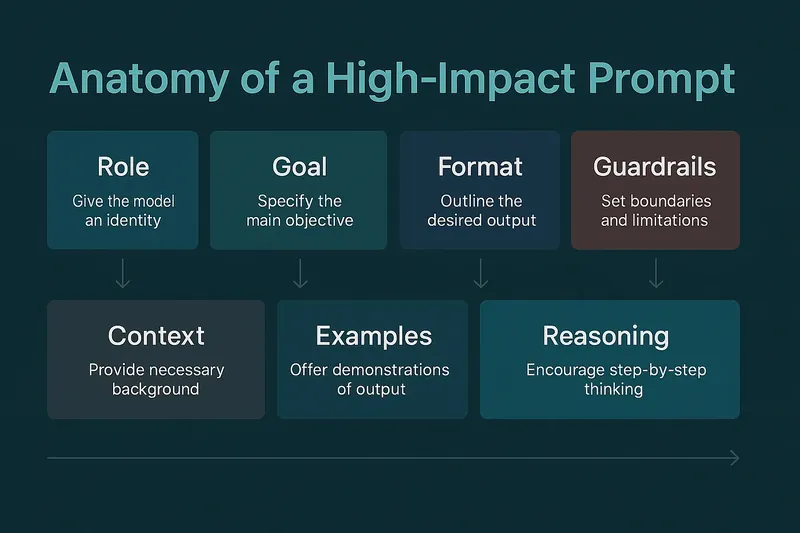 Anatomy of a Prompt: The Complete Guide to Crafting Effective AI & ChatGPT PromptsJul 2025
Master prompt engineering with the seven-layer framework: Role, Goal, Format, Guardrails, Context, Examples, and Reasoning. Learn how to craft prompts that boost accuracy and reduce hallucinations.
AI Why AI Keeps Writing "Source-Backed" Into Your CopyAug 2026
Ask a model for one headline and it never happens. Ask for ten options, which is what everyone actually does, and a quarter of analytical products hand you one about sources.
AI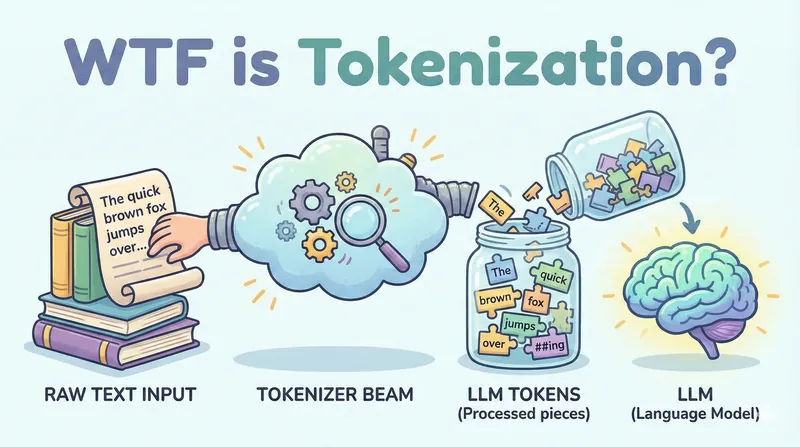 WTF is Tokenization?Dec 2025
Everything you need to know about how LLMs break text into tokens - and why it explains most of their weird behaviors.
AI